Anime-inspired Torii Gate
In this artwork, I created a Torii gate using Blender and various Adobe software tools. Since I'm fond of Eastern art and animation, my aim was to blend the modern anime aesthetics with the shading style found in Genshin Impact and recent Zelda games.
I used Blender for modeling the gate and the stones and used toon shader for the materials' node setup. To guide my later steps, I created a simple 3D composition. The gate was textured in Substance Painter with the aim of the desired anime inspired look.
After rendering, I composed the entire scene in Photoshop. I utilized various cloud brush tools and overlays to create the background. My main goal here was to achieve a result similar to what can be seen in Ghibli and Makoto Shinkai movies.
I cropped the 3D assets and arranged them in layers to create a sense of depth and perspective.
To bring the scene to life, I added three layers of grass using grass brushes. I then used cartoon-style leaf brushes to paint a tree on the right side of the image, giving the scene a frame (and a little more charm).
Exporting each layer individually, I imported them into After Effects for further enhancements. I animated the grass, the trees and the clouds, and added camera movement and lighting.
I completed the project in Premiere Pro by applying color grading and final adjustments, giving the scene its desired anime-styled look and vibe.

Finished still scene
Finished scene.
To achieve a more anime styled result, I included godrays and gave the composition more contrast and a higher saturation level.
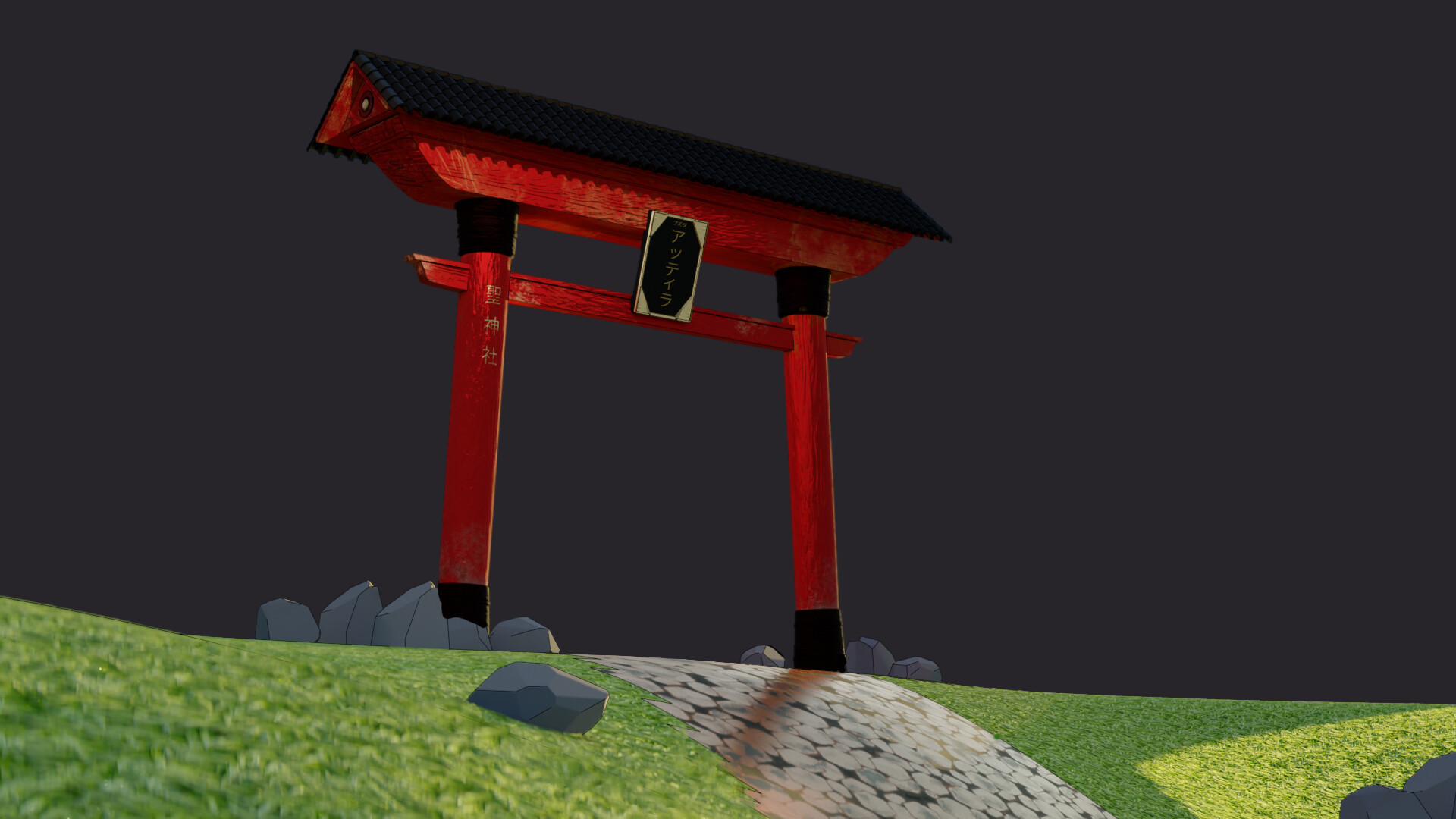
3D render without overpaint and background.
Turnaround of the model showcasing the toon shader and textures.
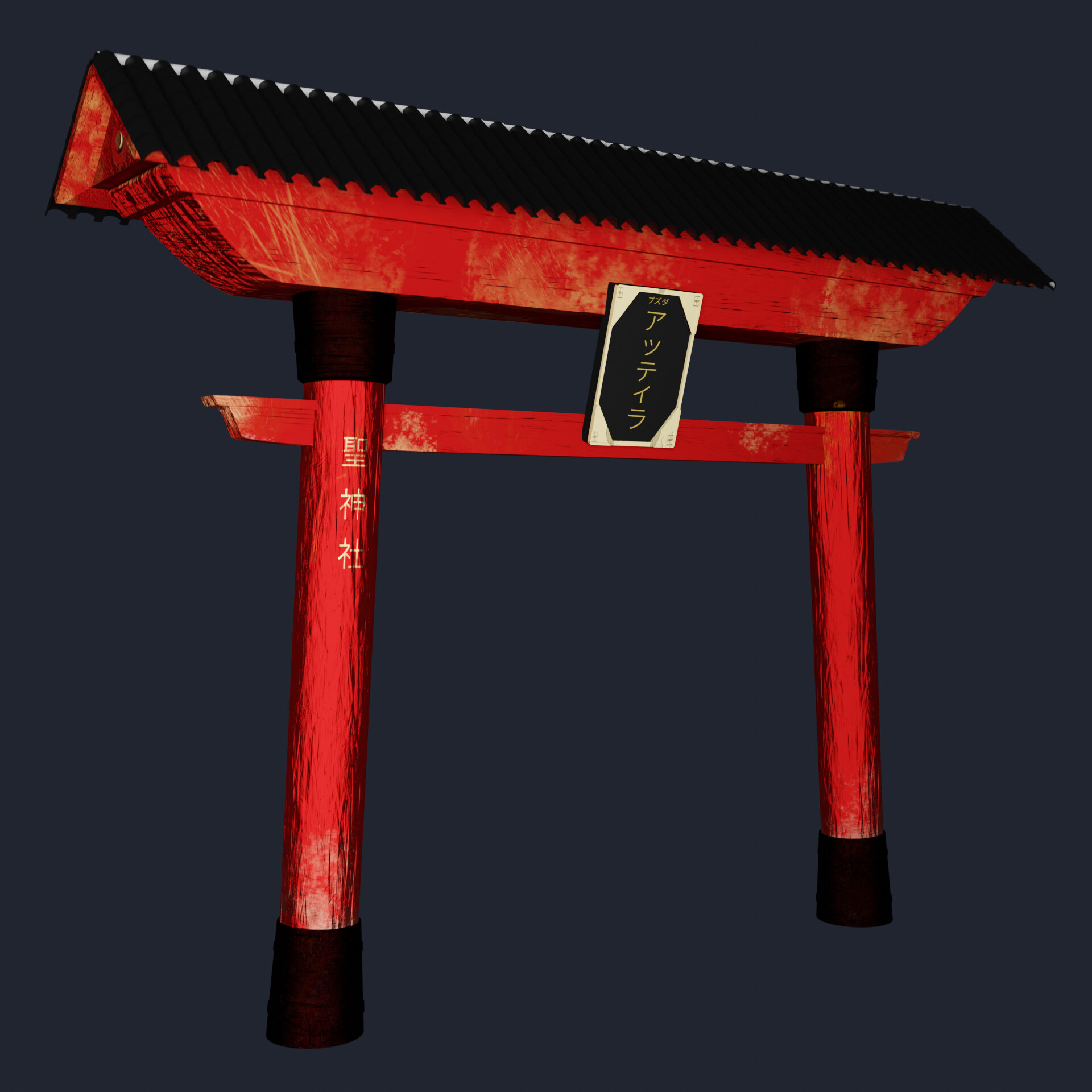
The finished Torii gate model after texturing in Substance Painter.
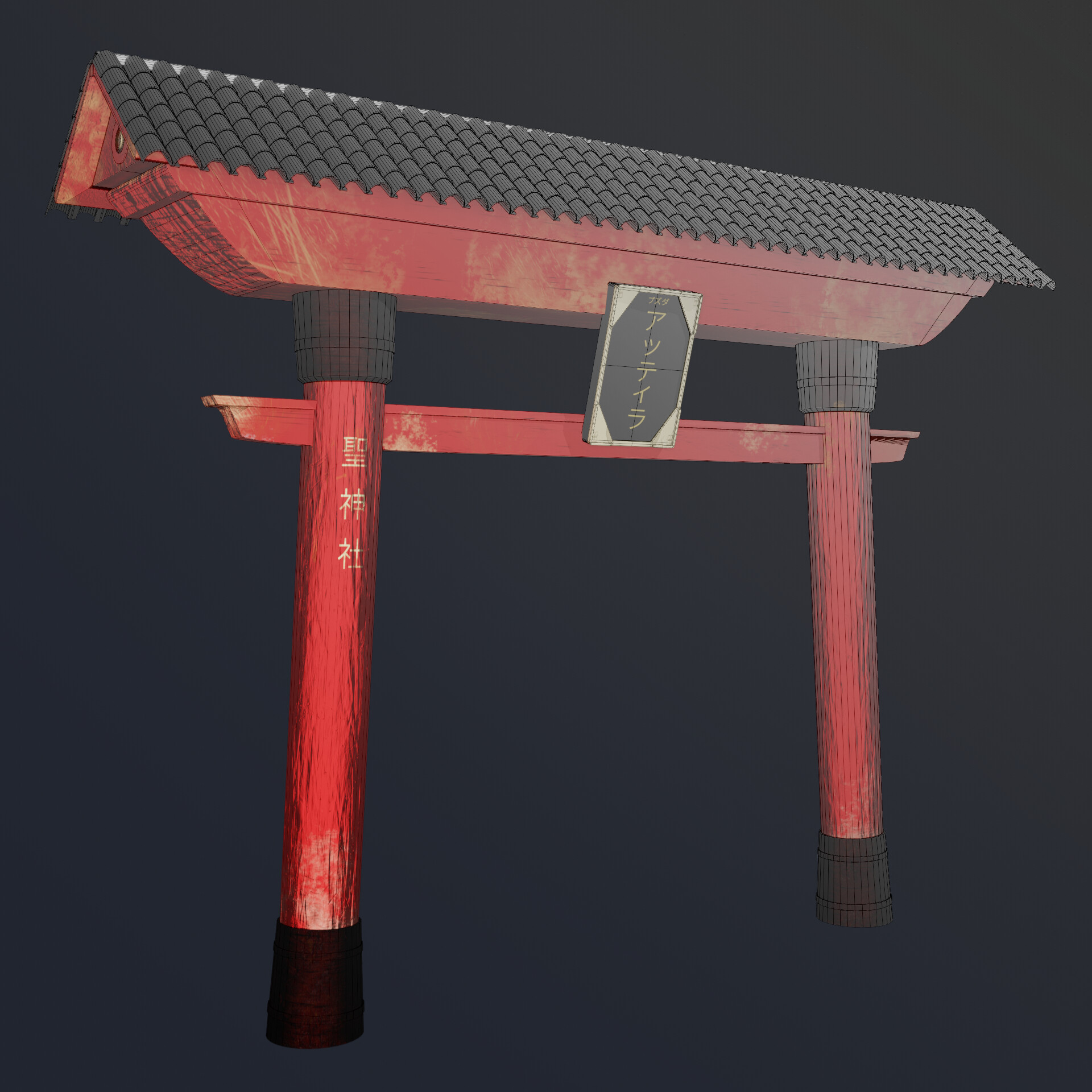
Wireframe and textured model side by side comparison.